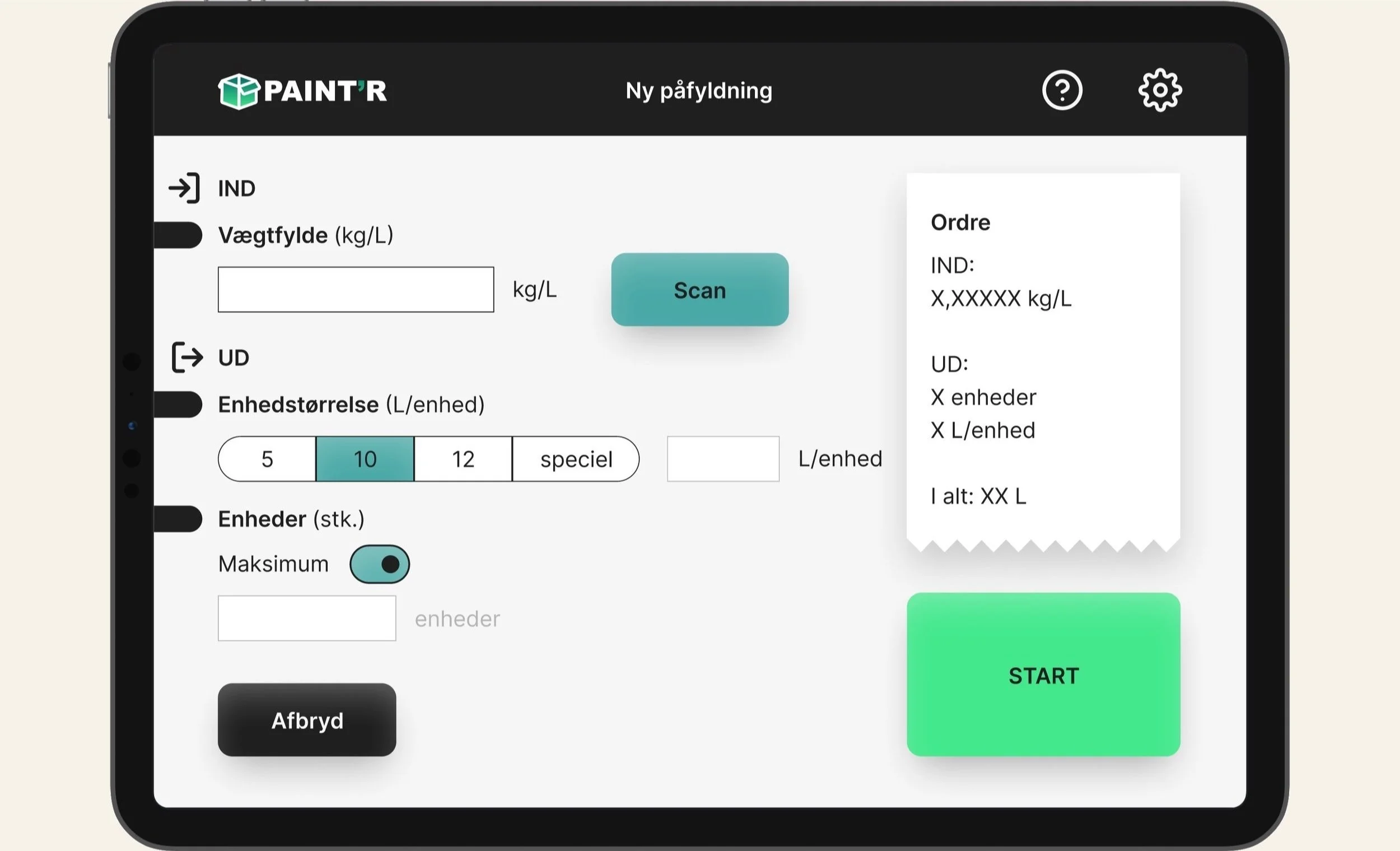
Digital user interface for Paint’R s new paint-filling machine

Role
Digital Product Designer
Timeline
1 month
CASE STUDY
Skills
UI Design, Digital Product Design, UX Research
Team
I was primary lead on this project. With input and feedback from the Paint’R team.
Tools
Figma
Miro
Project Overview
Problem
Paint'R had built a new paint-filling machine that was fully manual. There was no digital interface.
This made the machine harder to use, increased the risk of errors, and slowed down production.
Two user groups had different needs:
Operators needed a quick and simple way to run standard filling cycles.
Technicians needed detailed control for setup, maintenance, and troubleshooting.
The challenge was to design one system that supports both.
Solution
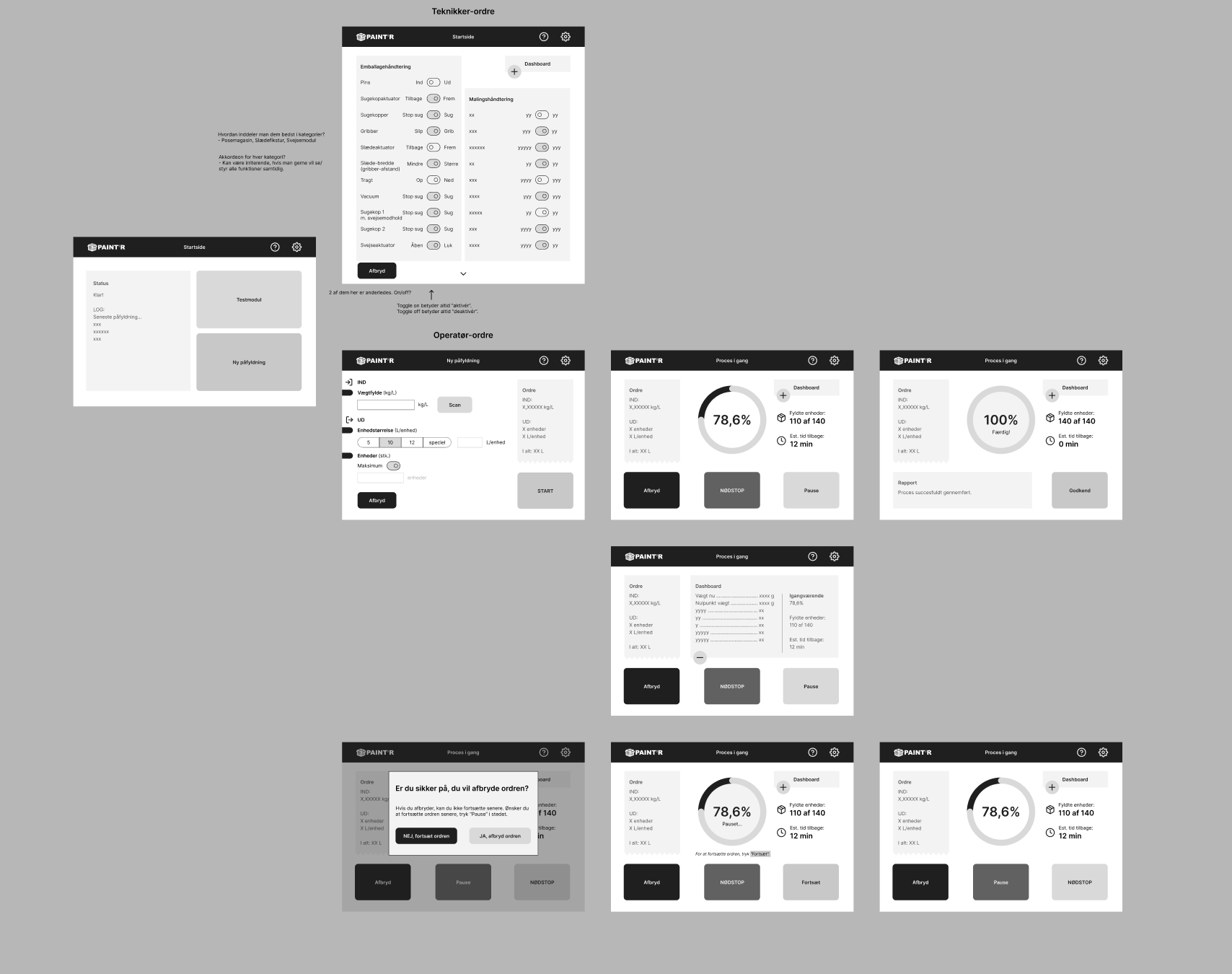
I designed a dual-flow interface with two clear paths.
Operators get a simple, guided flow for fast, everyday use.
Technicians get an advanced flow with full control and system insight.
The interface also includes real-time feedback and predefined settings for common tasks.
The result is a digital system that replaces manual work with a faster, clearer, and more reliable workflow.
How might we…
… Design a digital interface for Paint'R’s paint-filling machine that supports both simple operation and advanced control?
ANALYSIS
Flowchart of the machine
To understand the complexity of what was required of the machine operating system, I mapped the flow of the machine mechanisms. From this, I gained an overview of the functions, data and critical moments in and out of the paint filling machine.
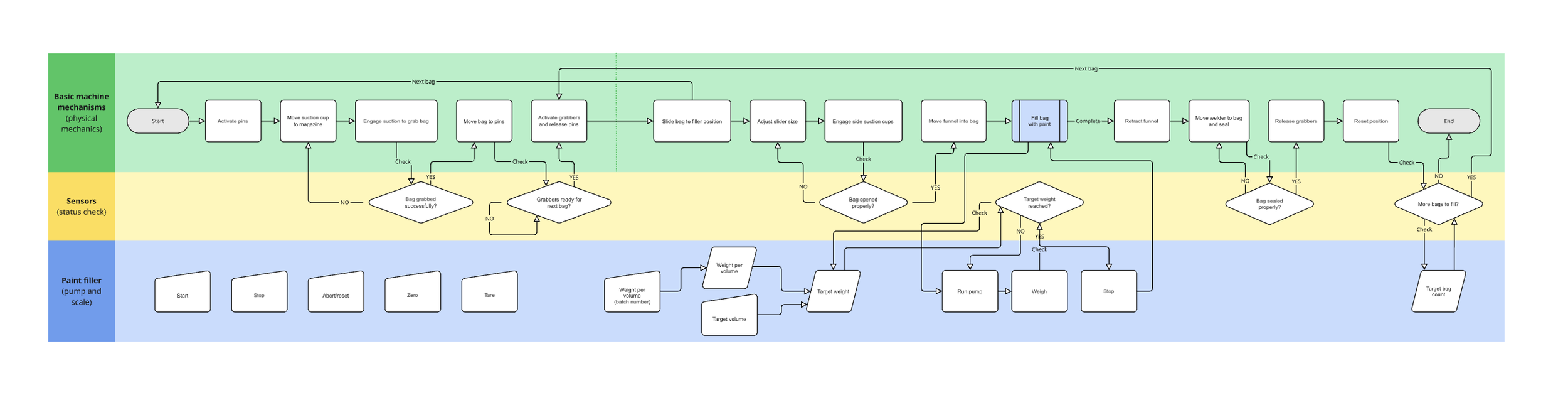
Flowchart
User Personas
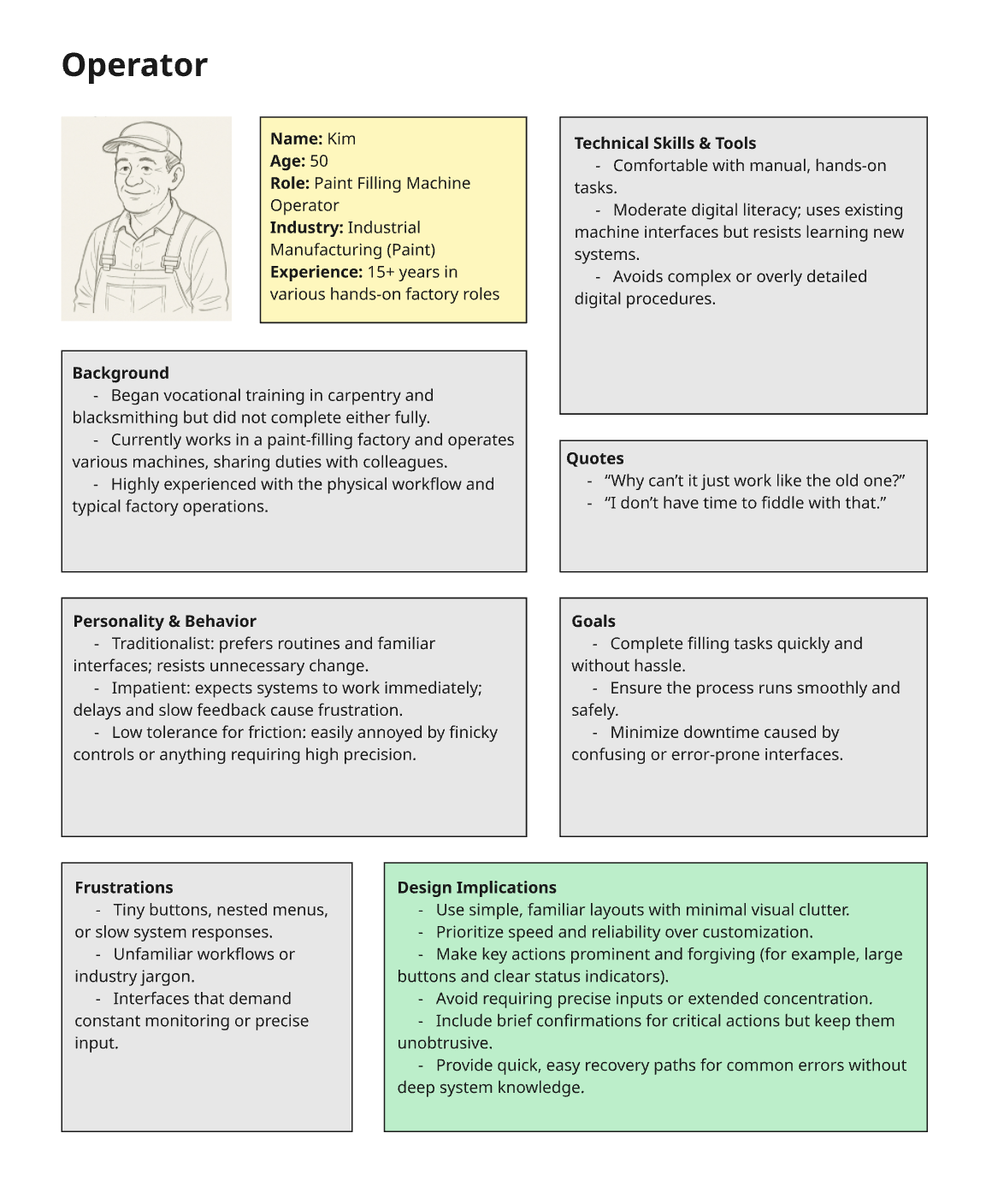
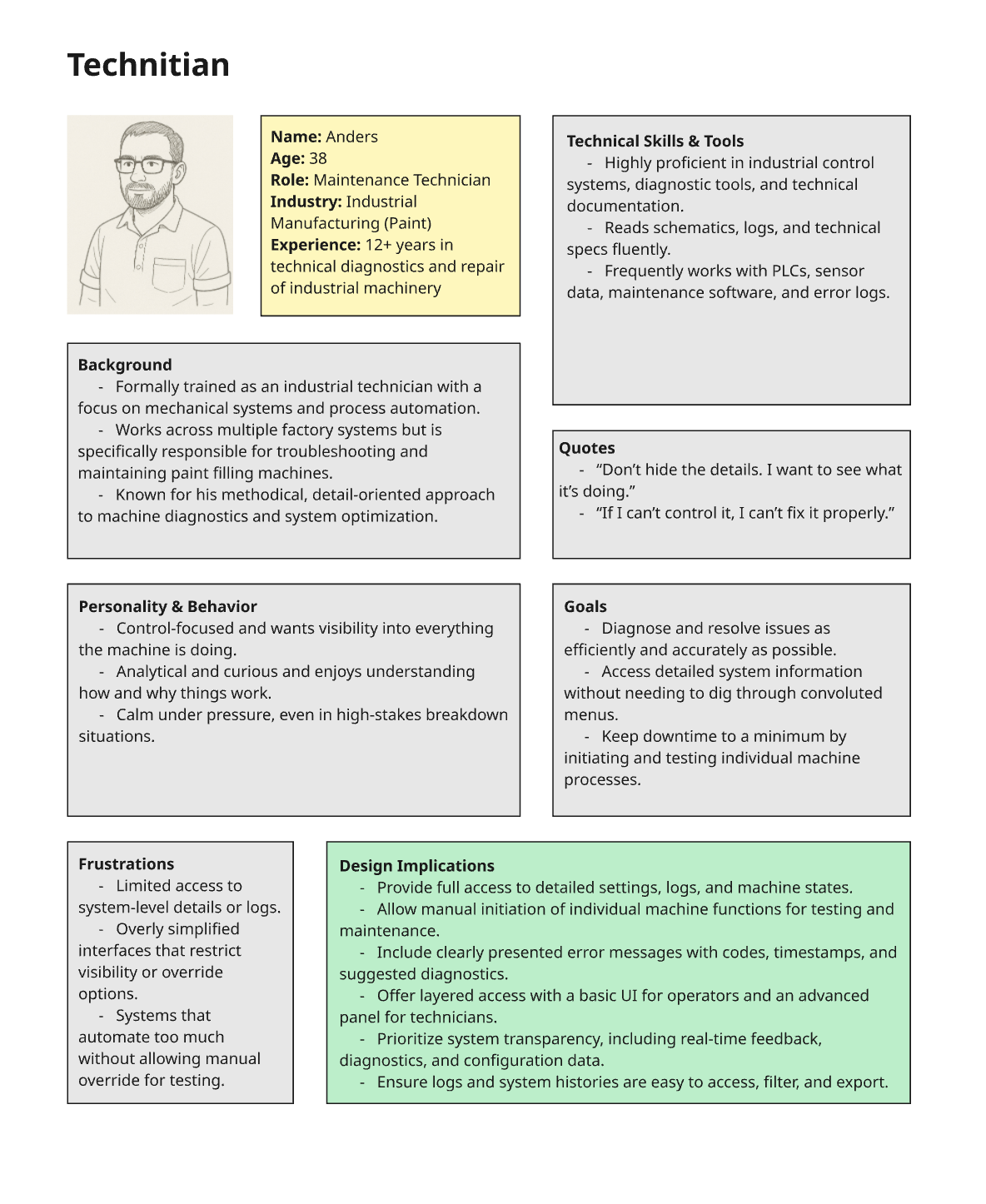
User interface for the paint filling machine needs to cater to the needs of two main personas; the “operator”, and the “technician”. The “operator” needs a no-hassle, easy to navigate route through the interface to run a standard paint filling cycle. The “technician” wants all the detailed information, dashboards and control over individual mechanisms.
DESIGN
Wireframing
UI Design
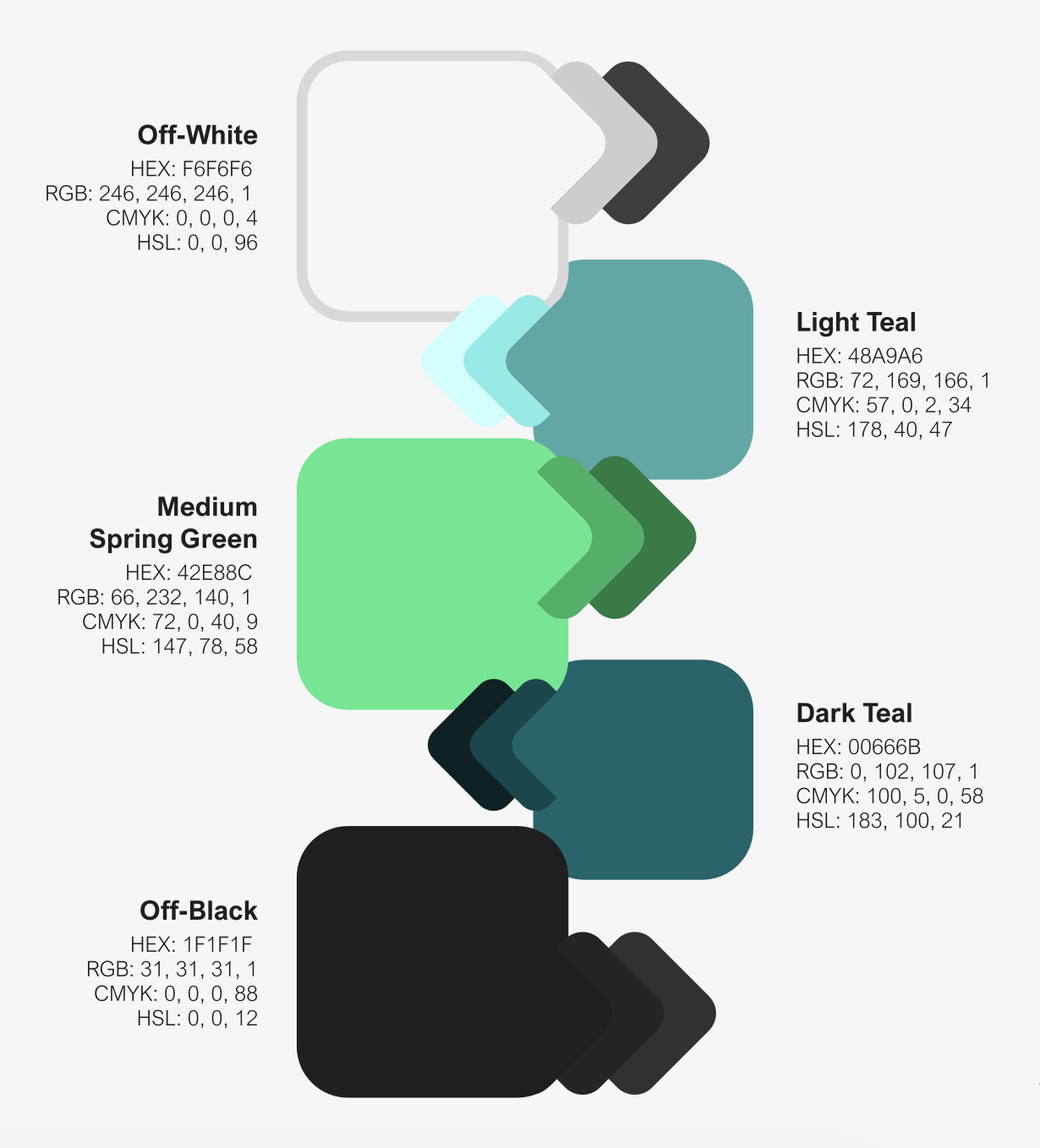
Colours: